
Best Coding Languages for Kids
How to Choose the Right Programming Language Based on Age, Interests, and Learning Style?
Choosing the best coding language for your child can feel overwhelming. From Scratch to Python, Roblox to JavaScript, the options are endless and often confusing. But here’s the key insight most guides miss. There is no one “best” coding language for every child. Instead of chasing trends, it’s more effective to start with the right fit.
What is the best coding language for kids?
The best coding language for kids depends on age and interest. Scratch is ideal for beginners (ages 6–8), Roblox and HTML/CSS suit ages 8–11, while Python and JavaScript are best for older children ready for real programming and projects.
Quick Overview: Best Coding Languages by Age and Interest

What Makes a Coding Language Good for Kids?
Before choosing the best coding language for your child, it’s important to understand what actually matters. Coding today is no longer about writing lines of code. It is about building, experimenting, and solving problems. When children begin with the right tools, they don’t just learn programming, they build confidence, creativity, and the ability to think independently in a digital world.
A truly effective programming language for children must balance accessibility with long-term utility, beginning with a beginner-friendly framework built on simple, intuitive concepts. To maintain engagement, the language should provide quick, visible results that fuel a child's motivation while fostering an environment for creativity, exploration, and experimentation. Beyond mere fun, it serves as a foundational tool to sharpen logical thinking and problem-solving skills, ultimately offering a structured pathway that bridges the gap between playful learning and real-world applications.
Scratch: The Best Starting Point for Beginners
Best for: Ages 6–10, beginners, visual thinkers
Type: Block-based visual programming
Scratch is widely considered one of the best ways to introduce children to coding.
Instead of typing code, children use colourful blocks to create games, animations, and interactive stories. This removes frustration while still teaching core concepts like loops, sequences, and events.
Why Scratch works so well:
Free and browser-based
Widely used in schools globally
Suitable for visual and kinesthetic learners
Proven to improve logical thinking and problem-solving

💡Choose Scratch if your child is new to coding and enjoys visual learning, stories, or creative play.
Roblox (Lua): From Playing Games to Building Them
Best for: Ages 9–14, Roblox fans
Type: Text-based scripting (Lua) inside Roblox Studio
Roblox is already a favourite among children, but it can also be a powerful entry point into coding. Learning Roblox Lua helps children move from playing games to creating them.
By using Roblox Studio, children can transform from passive players into active creators by building immersive 3D worlds and intricate obstacle courses. The platform allows them to script essential game mechanics such as points, power-ups, and leaderboards, which helps them cultivate a developer’s mindset. Ultimately, this empowers young creators to publish their own games for a global audience of real players, providing a tangible sense of accomplishment and professional insight.
Why Roblox coding works so well:
High motivation, as children already love the platform
Introduces real programming concepts in an engaging way
Combines coding, creativity, and design thinking

💡Choose Roblox if your child loves gaming and is ready to create, design, and build.
Python: The Most Versatile Next Step for Kids
Best for: Ages 10–16, especially curious and patient learners
Type: Text-based programming, general-purpose programming language
Python is one of the most popular programming languages in the world and one of the best coding languages for kids ready to move beyond visual tools. It is widely used in artificial intelligence, data science, web development, automation, and game design, making it highly relevant for future-ready skills.
What makes Python especially suitable for children is its clean, readable syntax, which is closer to natural language than many other programming languages. This makes it easier for beginners to understand core concepts without getting overwhelmed.
Why Python is ideal for kids:
Builds strong logical thinking and problem-solving skills
Helps children understand real programming concepts
Supports creative projects like games, quizzes, and mini apps
Encourages exploration of AI, data, and automation projects
Strengthens academic skills. Coding has been linked to improved math performance (15–20%), especially in reasoning and problem-solving

💡Choose Python if your child has some experience with Scratch or Roblox and is ready to work with real code and real-world applications.
HTML & CSS: The Best Starting Point for Creative Kids
Best for: Ages 9–14, especially design- and story-oriented learners
Type: Markup (HTML) and styling (CSS)
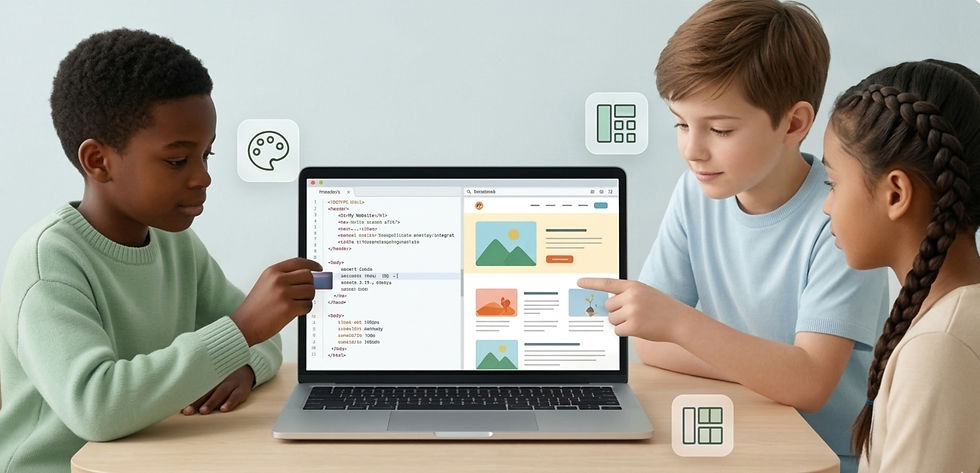
HTML and CSS are the foundational technologies behind every website. For children, they offer one of the most engaging ways to start coding by combining creativity with technology.
With HTML and CSS, children can create their own websites or personal blogs, design pages based on their hobbies, stories, or projects, and experiment with colours, fonts, layouts, and visual elements
Why HTML & CSS are ideal for kids
Provide instant visual results, which keeps motivation high
Act as a natural bridge between creative skills (art, writing) and coding
Build an early understanding of how the internet and websites work
Offer a smooth progression into JavaScript and interactive web development
Since changes appear immediately in the browser children can see the impact of their work, making learning both rewarding and engaging.
💡Choose HTML & CSS if your child enjoys design, storytelling, or visual creativity, and wants to build their own website from scratch.
JavaScript: Bringing Websites and Ideas to Life
Best for: Ages 12–16, especially students interested in websites, apps, and interactive projects
Type: Text-based programming language (runs in the browser)
JavaScript is one of the most important programming languages in the world and the core technology behind interactive websites and web applications. It works alongside HTML and CSS to turn static pages into dynamic, engaging experiences.
With JavaScript, children can build interactive websites with buttons, animations, and effects, create browser-based games and quizzes, and develop simple apps and real-world projects.
Why JavaScript is a great next step for kids
Powers the modern web, making it highly relevant and future-ready
Combines creativity and logical thinking in one language
Works directly in the browser giving instant feedback and testing
Strong progression from HTML/CSS to full web development
Widely used in real-world tech careers and projects
JavaScript helps children move from simply designing websites to building fully interactive digital experiences, making it a natural step after learning HTML and CSS.

💡Choose JavaScript if your child already understands basic web design and is ready to create interactive websites, games, or apps.
Common Mistakes Parents Should Avoid
When choosing a coding language for your child, a few common mistakes can slow progress or reduce interest:
Starting with complex programming languages too early
Focusing only on syntax instead of creativity and problem-solving
Treating coding like a school subject instead of exploration
Expecting quick results instead of gradual learning
Coding is not a one time one-time activity. It is a skill built over time through practice, curiosity, and experimentation.
Where GowReads Fits In
If you are a parent exploring coding classes for kids, GowReads helps to choose programs that match your child’s age, interests, and learning stage. At GowReads, children learn through hands-on, instructor-led programs designed to move from beginner to advanced levels:
Scratch (ages 7–10): Visual coding through games and storytelling
Roblox Game Development (ages 8–16): Build and publish original games
Python Programming (ages 10–16): Create real projects like quizzes, apps, and mini-games
Web Design (HTML, CSS, JavaScript): Design and build interactive websites
Each program focuses on learning by building, helping children apply concepts in real projects. Our goal is simple:
Turn screen time into skill-building time
When children start with the right tools and guidance, coding becomes a way of thinking, creating, and understanding the world around them.


Comments